As an Amazon Associate, we earn from qualifying purchases. Some links on this site are affiliate links at no extra cost to you. Our recommendations are based on thorough research and editorial judgment.
Why Your Sprinkler Timer Resets After a Power Outage (And How to Fix It)

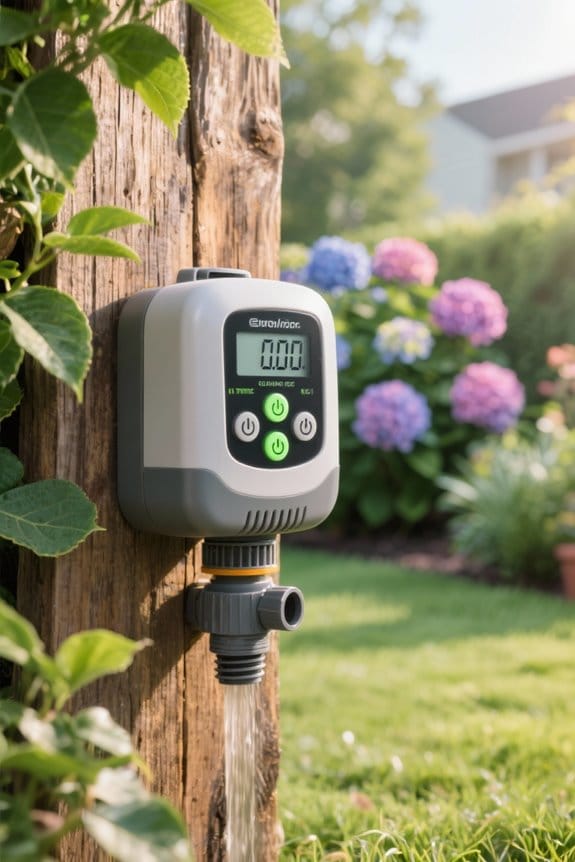
A power outage can cause a sprinkler timer to reset to factory defaults, disrupting programmed watering schedules. This may lead to overwatering or inadequate irrigation. Homeowners should change backup batteries annually to preserve settings during outages. After a power failure, inspect the timer for flashing displays or incorrect programming. Reprogram the timer according to local watering guidelines and adjust schedules seasonally. For more insights on troubleshooting and enhancing your system’s efficiency, additional information follows.
Key Takeaways
- Sprinkler timers often reset to factory defaults during power outages, losing programmed settings for watering schedules.
- Regularly replace backup batteries to prevent loss of settings during power outages.
- After an outage, check the timer display for incorrect settings or flashing indicators that signal a reset.
- Conduct weekly inspections of timers to ensure settings remain accurate and adjust schedules as needed based on seasonal changes.
- Consider investing in smart controllers with non-volatile memory to retain settings and manage irrigation more effectively.
Understanding Your Sprinkler Timer
When examining a sprinkler timer, it is crucial to recognize its role in managing an irrigation system effectively. These programmed devices control the watering schedule by determining when and how long irrigation occurs. Timers typically allow users to set specific durations, usually ranging from a few minutes to several hours, depending on plant needs. However, power outages can disrupt this functionality, potentially resetting the timer to factory settings. Many models include backup batteries, which may not retain the entire watering schedule. Smart sprinkler timers often adjust watering based on local weather data, enhancing efficiency and conservation. Users are advised to periodically check their timers for any flashing displays or incorrect dates, especially after a power outage, to guarantee ideal irrigation and minimize excessive water use. Reprogramming instructions are often available online or through the manufacturer.
The Impact of Power Outages on Your Timer

Power outages can greatly disrupt the operations of sprinkler timers, often leading to unintended consequences for irrigation systems. When power is lost, timers may reset to factory defaults, which typically involve excessive watering of 10 minutes for each station daily. This schedule is often inappropriate for many plants, resulting in water waste. To mitigate these issues, it’s crucial to verify the backup battery is changed annually, as this helps maintain timer settings during outages. Rain delay features across models promote water conservation by preventing unnecessary watering. After a power interruption, homeowners should check for incorrect days, times, or flashing displays on their timers. Regular monitoring and maintenance can prevent inefficient watering and help optimize plant health, safeguarding against the effects of power outages on sprinkler operations.
Identifying Signs of Timer Issues
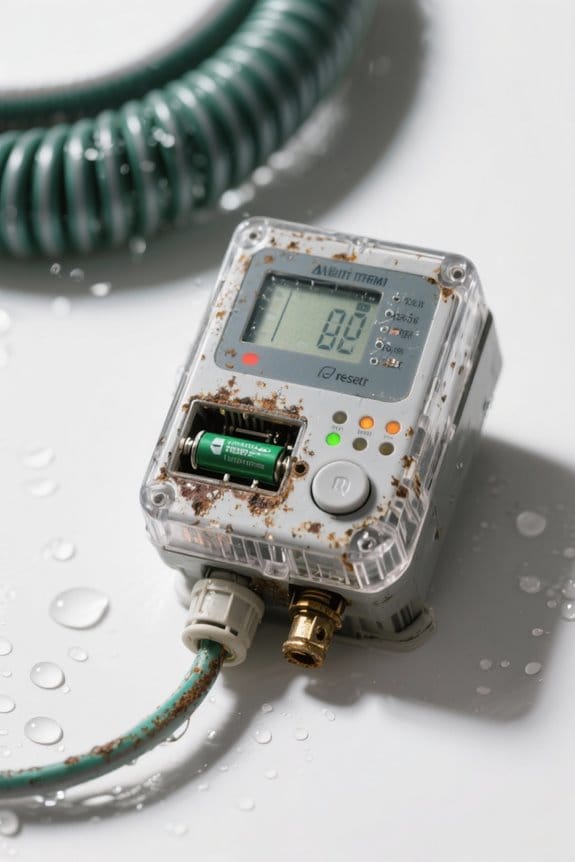
How can homeowners effectively identify signs of timer issues in their sprinkler systems? Following a power outage, it is essential to inspect the timer for any incorrect days or times displayed. A flashing display might indicate that the timer has reset. Homeowners should verify programming irregularities, as timers may revert to factory defaults, creating inappropriate watering cycles. Regular inspections can help detect if the timer is unintentionally set to default watering cycles, which often lead to excessive water usage. Frequent checks, ideally every week after outages, allow for the early identification of any discrepancies in settings, therefore maintaining ideal irrigation practices and preventing overwatering or underwatering due to misconfigured settings. Additionally, homeowners should check for rain delay mechanisms that might help conserve water by pausing scheduled watering during rainy conditions.
Common Troubleshooting Steps
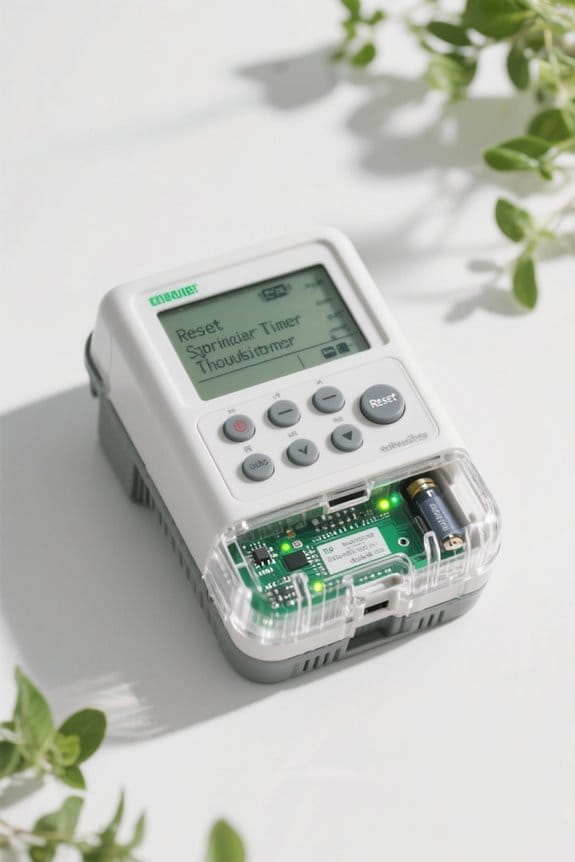
To effectively troubleshoot issues with sprinkler timers after a power outage, homeowners should follow a structured approach. First, check the timer display for flashing indicators or incorrect days and times, which often signify a reset to factory settings. Next, inspect the backup battery to verify it functions properly; changing the battery annually can prevent future resets. If specific zones fail to water, utilize the timer’s self-diagnostic functions to identify potential valve issues or faulty wiring. Additionally, compare the programmed settings to local irrigation guidelines, verifying ideal watering duration and frequency. Consulting the user manual, often available online, will aid in accurately reprogramming the timer to restore essential watering schedules after disruptions. Antique brass lights enhance home décor with elegant designs and durable materials, making them a popular choice for those looking to combine vintage charm with modern simplicity.
Recommended Products
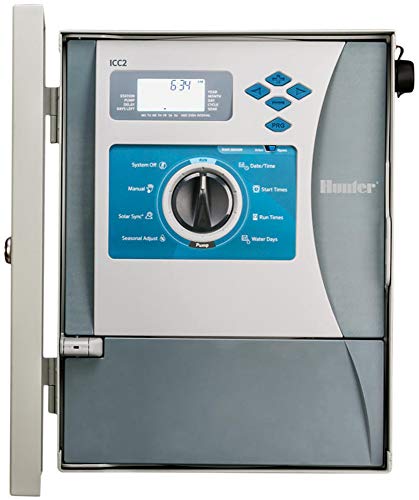
Hunter I2CF-800M I2C-800M Residential or Commercial Timer. Now with Built-in flow monitoring for smart water savings With optional Flow Sync sensor. Requires HFS Flow-Sync Sensor or WFS Wireless Flow Sensor Kit and FCT fitting for pipe installation.
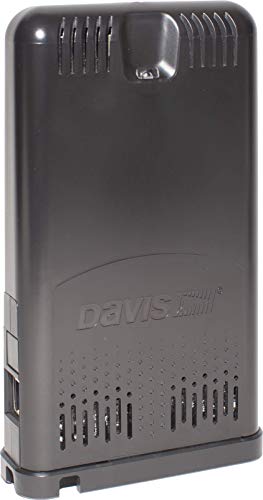
STREAM LIVE DATA: Experience the fastest reporting weather data on the market with the free WeatherLink mobile app.

For battery-powered operation of up to 4 automatic sprinkler or drip valves
Reprogramming Your Sprinkler Timer
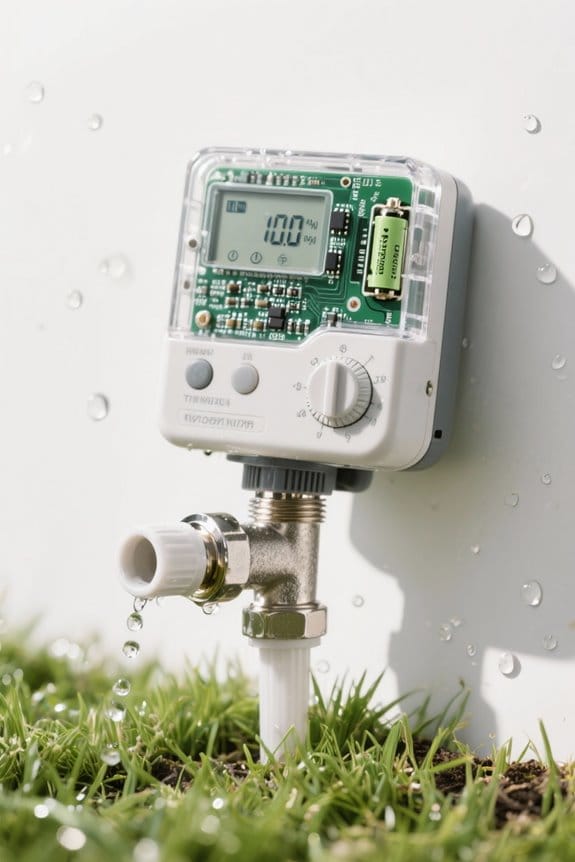
Reprogramming a sprinkler timer after a power outage requires attention to detail and a systematic approach. First, inspect the timer; if it shows incorrect days or times, it likely reverted to factory default settings. Consult the user manual, which can often be found online, for model-specific reprogramming instructions. When reprogramming, make certain that settings align with local watering guidelines to avoid excessive water use. It is wise to check and change the backup battery annually, as a functioning battery is crucial for maintaining the timer’s setting during power outages. This not only helps prevent future disruptions but also enhances efficient water management in the landscape. Ensure that you are using hoses with precision-perforated designs for efficient watering, as they help in saving significant water amounts while ensuring direct hydration to plant roots. Taking these steps guarantees maximum functionality and water usage.
Recommended Products

Hunter I2C-800PL 8 Zone Residential or Commercial Timer.
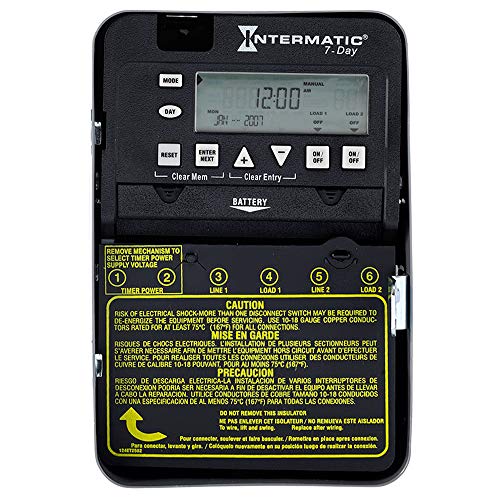
For battery-powered operation of up to 4 automatic sprinkler or drip valves
Maintenance Tips for Timer Longevity
Maintaining a sprinkler timer effectively guarantees its longevity and reliable performance, especially in changing weather conditions. To guarantee consistent functionality, replace the backup battery every year, allowing it to operate smoothly during power outages. Additionally, store the user manual in an easily accessible location; this can aid in quickly resolving programming issues as they arise. Furthermore, it is essential to consistently check the timer settings after a power outage, ensuring they have not reverted to default. Smart timers like Orbit B-hyve XD optimize irrigation using local weather data, which can help maintain efficient watering schedules and reduce water usage. To maintain efficient watering schedules, keep timer settings updated according to seasonal changes. Finally, inspect your timer at least quarterly for any irregularities like flashing displays or incorrect time settings, which can prevent potential malfunctions and extend the life of the device.
Adjusting Your Watering Schedule
After confirming the timer is functioning correctly, the next step involves adjusting the watering schedule to meet the specific needs of the garden or landscape. It is essential to compare the timer’s settings with local guidelines, such as those from IRWD. Starting with their recommended watering durations, any modifications should only be made if plants show signs of stress due to insufficient water. Additionally, checking the irrigation system for leaks or coverage gaps will guarantee efficiency. Regularly updating the schedule to adapt to seasonal changes promotes better plant growth while conserving water. Finally, users must remember to check the timer’s programming after a power outage to prevent unintended overwatering. For assistance, please contact customer support and verify JavaScript is enabled in your browser. Consider using pressure-compensating emitters to ensure consistent water delivery across your irrigation system, even with fluctuating water pressure.
Recommended Products


16 mm dripline with 0.92 GPH pressure-compensating emitters – Delivers consistent, low-volume water directly to plant root zones for efficient subsurface and surface drip irrigation.

Xf drip line - 0.6 mph, 12 in. Spacing, 500 ft. Coil
Addressing Power Loss and Programming Issues
Power loss can lead to significant issues with sprinkler timer programming, often resulting in the loss of previously set schedules. When the power supply is interrupted, timers may return to factory default settings, which can cause excessive water usage. After a power outage, users should check the timer for incorrect days or times displayed, ensuring it hasn’t reverted to default watering cycles. To reprogram the timer, individuals can refer to the user manual, which should be kept accessible during outages, or contact the manufacturer for guidance. Additionally, incorporating regular maintenance, such as changing the backup battery annually, can mitigate timer resets and help optimize the use of timer features, improving the overall efficiency of watering practices. Using controllers with rain delay functionality can also enhance water conservation efforts during times of unexpected power loss.
Problems With Specific Zones Not Watering
Sprinkler systems may experience problems when specific zones do not water as programmed. To address this, utilize zone troubleshooting techniques by checking individual settings against the timer’s programming, ensuring they are correctly configured. Faulty valves and wiring issues can disrupt signals to the control valves, resulting in some zones failing to activate. Engage in irrigation system diagnostics, evaluating for leaks or coverage gaps that may impede performance. Many modern sprinkler timers feature self-diagnostic functions to help identify these issues. If persistent problems arise, consider seeking a professional inspection. Experts can diagnose complex valve configuration issues and examine wiring conditions that may not be easily visible or repairable without specialized knowledge or tools. For enhanced system reliability, consider installing anti-siphon valves as they can prevent backflow contamination and improve overall water management.
Sprinklers Turning On and Off Unexpectedly
Unexpected activation patterns can disrupt the efficient operation of irrigation systems, leading to excessive water use or inadequate coverage. Timer settings errors often cause premature shutdowns during intended watering cycles. To address these issues, users should regularly review their timer configurations for accuracy, ensuring that all settings match the desired watering schedule. Implementing watering cycle adjustments and testing with a temporary program may help isolate the root of the unexpected shutdowns. If problems persist, it might indicate deeper control valve issues requiring professional inspection. Weather intelligence features in smart watering controllers can automatically adjust schedules based on real-time conditions, optimizing water usage and preventing unnecessary activations. By routinely inspecting the timer’s functionality, homeowners can identify and resolve potential discrepancies before they result in inefficient watering practices, ensuring effective irrigation performance throughout the growing season.
Evaluating Replacement Parts for Your Timer
Evaluating replacement parts for a timer can greatly enhance its functionality and extend its lifespan. A cost benefit analysis reveals that the Drive (part 356880Z), priced at $600-$700, addresses the capacitor issue that affects time retention during power outages. However, users should conduct a part compatibility check, as the Keypad Assembly (part 357527Z) costs only $150 but might not resolve the clock reset problem. Reports indicate that the capacitor, vital for maintaining time during interruptions, is commonly located within the Drive. For long term solutions, consumers should weigh these options carefully, considering the potential for recurring problems that could impact future homeowners. Consequently, selecting the appropriate replacement part becomes essential to ensuring timer reliability.
Exploring Alternative Control Options
Managing irrigation systems effectively can often benefit from exploring alternative control options tailored to enhance functionality and reliability. Smart controllers, such as IntelliConnect or IntelliSync, provide users with increased control and scheduling flexibility, especially after power outages. Many modern WiFi-controlled systems enable remote management, allowing users to update schedules immediately through integrated apps. Importantly, advanced controllers, like those from Rain Bird, utilize non-volatile memory to preserve programmed settings during power disruptions, ensuring that watering practices remain consistent. By investing in external controls or backup systems, users can minimize reliance on internal timers. These enhancements not only boost irrigation efficiency but also reduce downtime, promoting a more resilient watering strategy overall for both residential and commercial landscapes.
Recommended Products
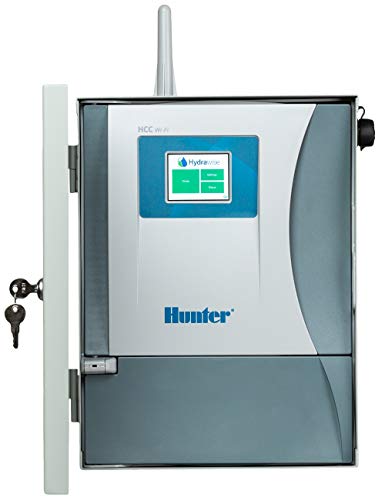
Wi-Fi enabled for quick connection to Hydrawise software.

24-STATION WIFI SMART SPRINKLER CONTROLLER: Take full control of up to 24 irrigation zones with this WiFi-enabled smart sprinkler controller. Perfect for large homes, estates, and commercial properties, manage your watering system remotely with the Hydrawise app or web portal from anywhere in the world.
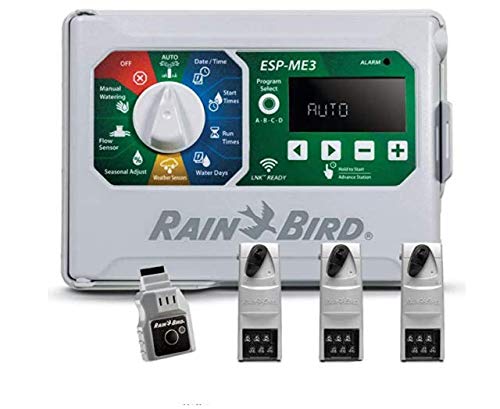
With 4 to 22 stations, the ESP-ME3 provides the station count options customers need. Install the same controller on residential and light commercial sites. Add station modules when expanding irrigation without removing or even powering down the controller.
Frequently Asked Questions
Does Power Outage Affect the Sprinkler System?
Power outages greatly affect sprinkler systems, leading to sprinkler timer issues such as reversion to factory settings. Regular irrigation system maintenance is essential to mitigate power surge effects and guarantee proper functionality post-outage.
Is There a Fuse in Orbit Timer?
Orbit timers lack traditional fuses, resembling technological marvels that boldly withstand power fluctuations. These sprinkler types feature built-in protective components for efficient operation, but guarantee peak functionality by checking settings and power backup after outages.
How to Reactivate a Sprinkler System?
To reactivate a sprinkler system, check sprinkler timer settings, utilize manual activation methods, and implement troubleshooting techniques. This guarantees each zone operates correctly, maintaining efficient watering and promoting healthy plant growth throughout the garden.
Does Hunter Sprinkler System Control Have to Be Reset Every Time the Power Goes Off?
Like a ship adrift in stormy seas, Hunter sprinkler systems often require resetting after a power interruption. Power surge effects can disrupt sprinkler timer settings, unless equipped with a reliable timer battery backup to retain programming.